


What your briefing is
Your briefing is a set of cards delivered at the time you choose, outside your chats. Each card's title is its conclusion, with the evidence underneath; “Chat about this” opens a new chat that carries the card, and a card you have chatted about shows “Chatted · continue”.
Companion never starts a conversation. Besides your briefing, Gedo pushes only three things: reminders you set, results of work you handed off, and “Needs you” notices; no message it starts on its own ever appears in your chats.
Where to find it
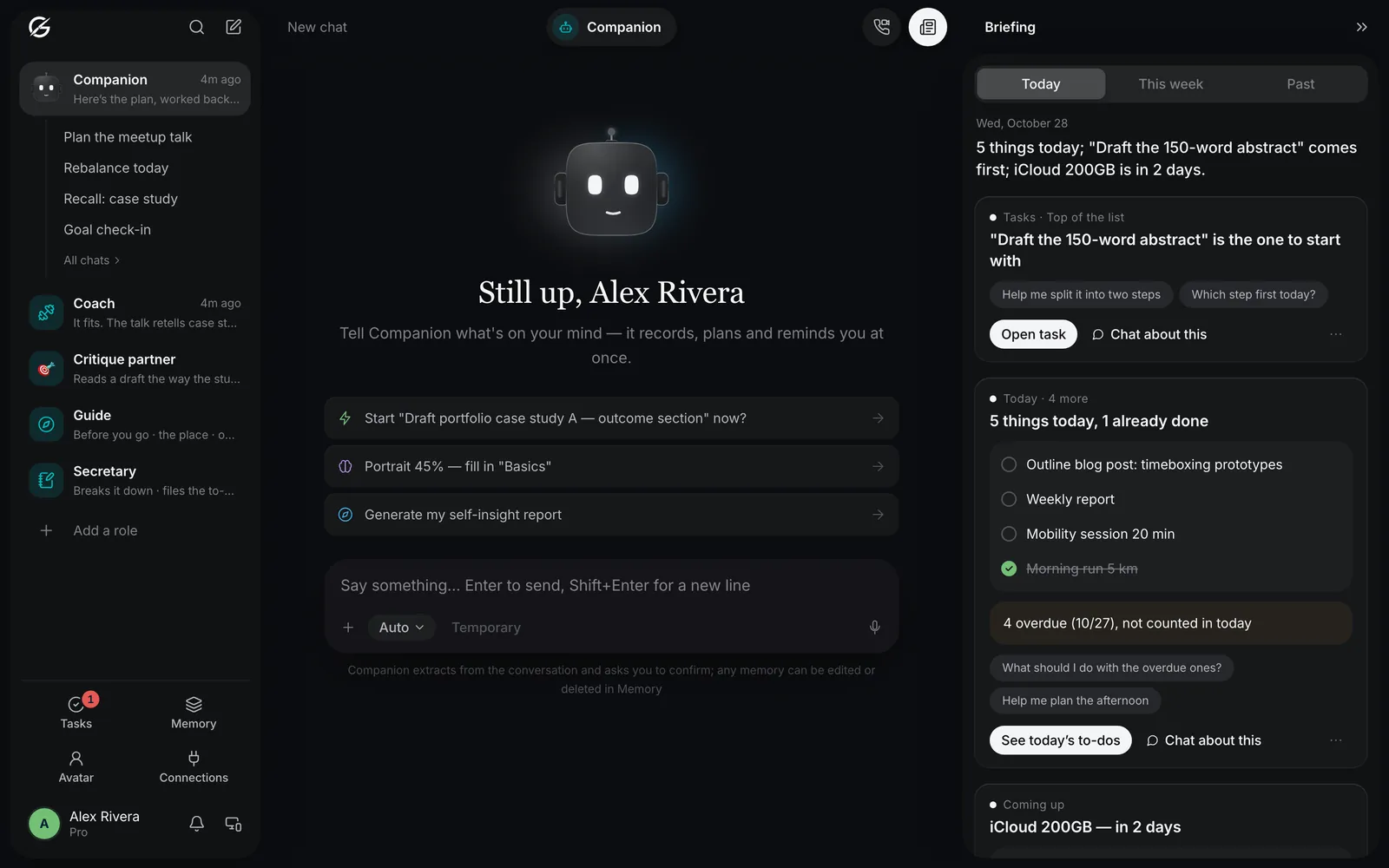
- Web: the “Briefing” button on the right of the chat page. When you open an empty new chat on a wide screen, your briefing opens on its own and closes once you send your first message.
- App: at your delivery time it appears at the top of the Companion home; tap it for the full briefing page.
- Tabs: Today · This week · Past; within Today, switch between Morning and Evening.
Delivery time and areas
- In your briefing, click “Delivery time and areas”.
- Choose a delivery time; the default is 08:00.
- Pick the areas you want to see more of, as many as you like: Schedule and to-dos, Health and fitness, People and occasions, Learning and growth, Work and projects, Home and errands, Money and bills, Travel.
- Set the evening briefing to “Only when it matters” (the default), “Every day” or “Off”.
What you can do with a card
Each card's ⋯ menu has three items: “Got it” puts the card away, “Show fewer like this” means fewer cards of that kind, and “This is wrong” tells Gedo the conclusion is off.
The buttons on a card are things that can be done right away, such as “Mark done”, “See the full review” or “Go to that conversation”. Anything that takes time is handed off, and you are told when it is done; you can also turn it into a reminder or keep it for tomorrow's briefing.
This week, reviews, and what Gedo is watching
The This week tab holds this week's findings and the cover of last week's review. Findings come from rule-based checks, such as a to-do moved twice or a goal quiet for two weeks, each with its evidence.
The weekly review is generated every Sunday at 20:00 and the monthly review on the last day of each month at 20:00, in your account's time zone; earlier briefings and reviews are under Past.
At the end of This week is “What Gedo is watching for you”, grouped into Theses, In progress, Watching, Events ahead, Open questions and Private. Each row has a “Can search the web” switch, and private ones are marked “Stays offline”; to drop a row, choose “Stop watching this” in its ⋯ menu, and to add one, use “Add something for me to watch”.
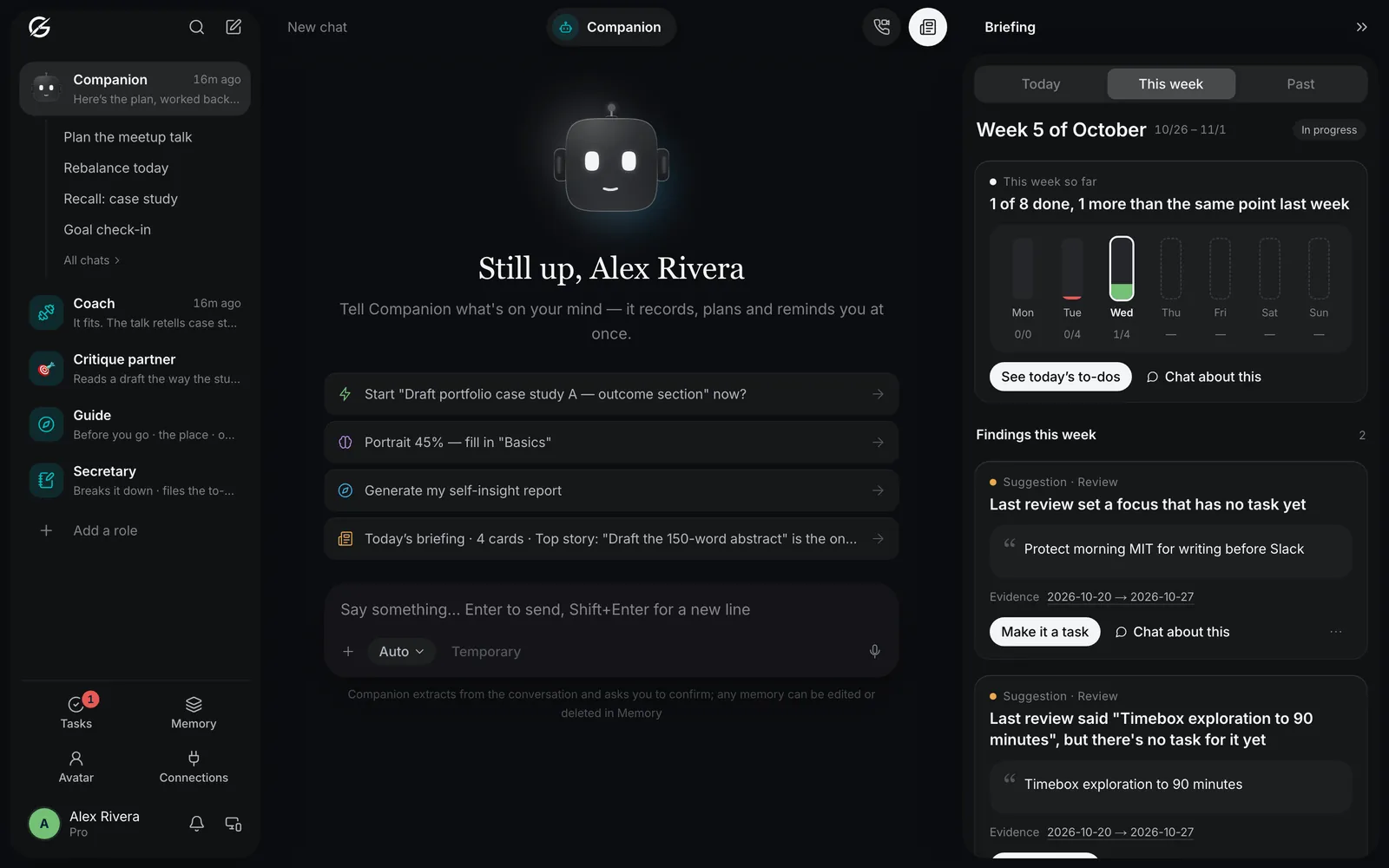
Web searches and privacy
Before each briefing, Gedo looks into the rows in “What Gedo is watching for you” that may search the web, and ties what it finds back to your own thinking. Every outside fact cites its source and when it was fetched.
Private rows never go online, and a row whose switch is off is no longer searched. Memories marked off-limits to AI and sensitive sources never appear on this list.
How often and how many rows are searched depends on your plan; see plans and quotas.