


One list, five parts
Tasks is one list of who is doing what: things you need to do yourself, things Gedo is working on, and things handed to another AI or another person. The header shows how many of today’s to-dos are done out of the total, and the ⋯ menu holds Goals and New goal.
From top to bottom, the list has five parts:
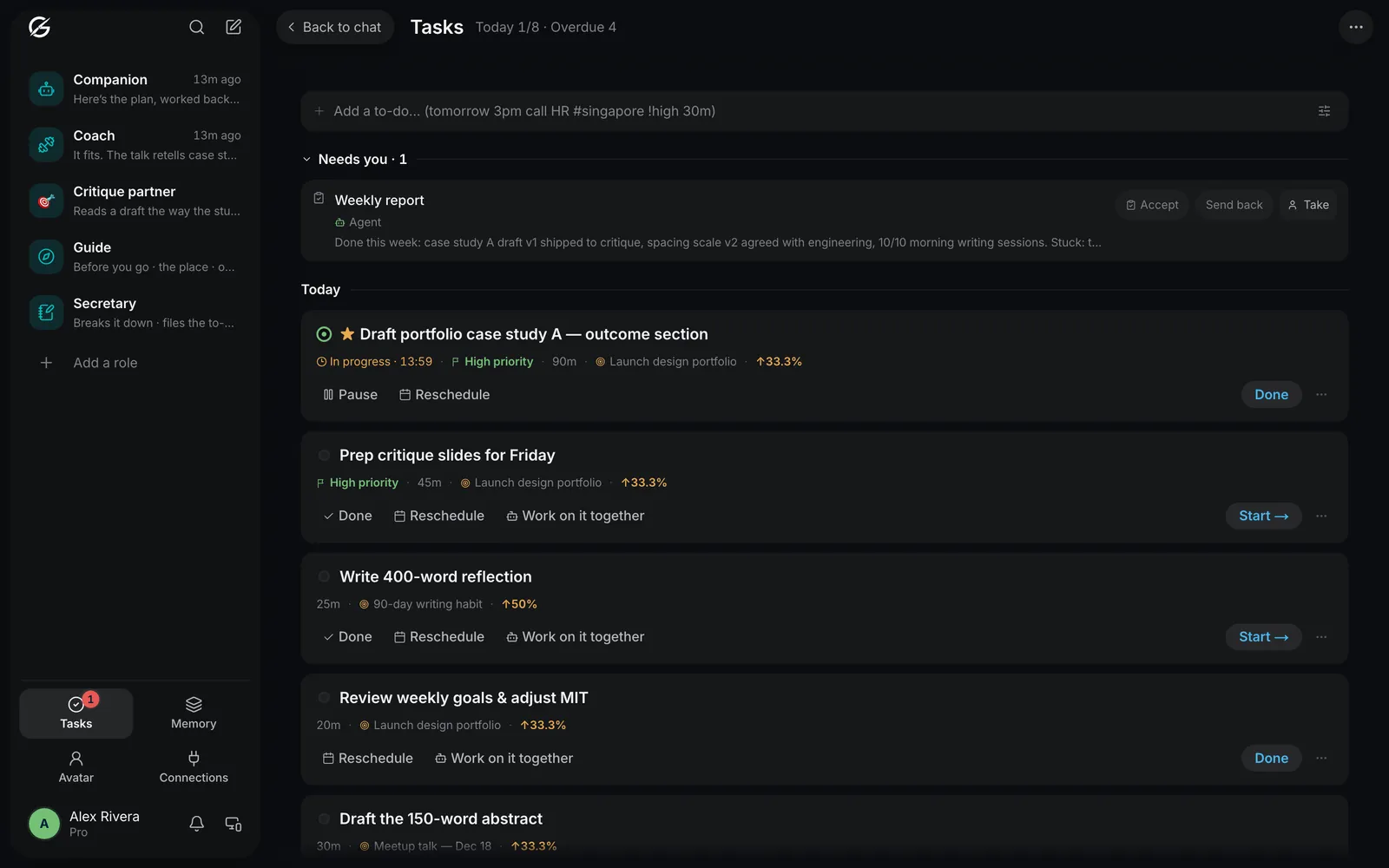
- Needs you: appears only when something is waiting. To-dos proposed by other AIs (Accept / Skip), check-ins under To confirm, and handed-off work that needs a step from you (Authorize, Connect, Accept / Send back, Reply) all land here.
- Today: what is due today, with overdue items folded in; what you finish today collapses into Done. To-dos without a date are listed under Unscheduled and don’t count toward today.
- At work: handed-off work in progress, grouped by who is doing it; routines are here too.
- Later: to-dos scheduled further out, collapsed by default.
- Earlier: what is in the past, collapsed by default.
Adding to-dos and planning the day
Say it in chat and Companion creates the to-do directly, or type one line in the box at the top of the list. A line can carry a date, a reminder, a goal (marked with #), a priority and a duration, for example “tomorrow 3pm call HR #singapore 30m”. To-dos can repeat every day, on weekdays, every week or a few times a week.
On the web, Enter adds it and ⇧Enter adds it and starts Work on it together: a chat where you work on it with Gedo, with progress written back to the to-do. On a wide screen, select one and its details open on the right; in the App, tap a card to open its details, swipe right to complete it and swipe left to reschedule.
When Today is empty, Plan my day appears: Gedo drafts a plan for today from your goals and to-dos, and you decide whether to add it.
Finished and outdated to-dos get closed out
When a to-do looks finished, Gedo checks it off and the row shows Auto-completed with the reason; you can undo it. Clear-cut cases include all subtasks being done, the next step being done, a matching record being logged, or handed-off work finishing; anything inferred from your chats is judged once a night and checked off only when Gedo is highly confident.
To-dos that are simply past their date are not checked off. Gedo asks once under To confirm: Done, Move to today, Skip, Drop it or Still on it. If you don’t answer, the to-do is set aside on the date shown on the row; with two or more overdue, you can Move all to today or Set all aside.
Something that only matters on one day, such as attending a wedding or a sign-up deadline, is marked No longer applies once the day passes. When a newer to-do for the same thing is done, the older one is marked as merged into it.
Set aside is neither done nor dropped, and you can undo it anytime; once you undo one, the same reason won’t check it off again. These check-ins are not pushed to you; they only appear under Needs you.
To stop automatic check-offs, turn off Mark to-dos done automatically in Settings. Gedo then asks you to confirm instead; clear-cut cases such as all subtasks being done aren’t affected.
Goals
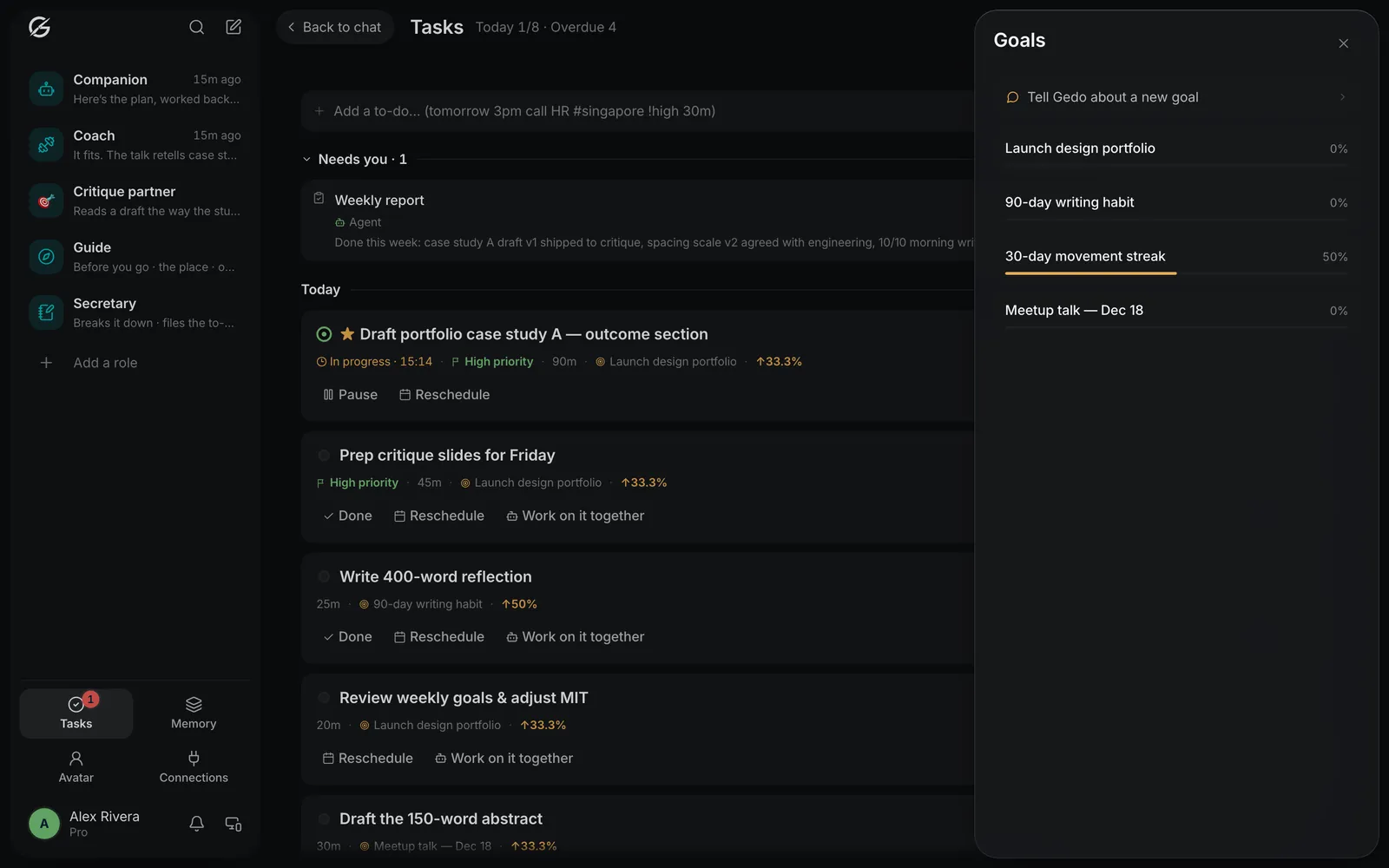
A goal gathers to-dos: the to-dos under it, its activity, deliverables and backup plans all hang on it. In Tasks, open ⋯ › Goals for the goal list; ⋯ › New goal starts a new chat prefilled with “I want to set a goal:” for you to finish and send.
Name a goal in chat and Gedo creates it on the spot, then asks about the details. Each key result is measured as a checklist, count, number or percent, and you log progress as you go with Log progress.
In a goal’s details you can change its status: Active, Paused, Completed or Abandoned. If you mark it complete while to-dos under it are still open, Gedo asks once: Mark them done, Set them aside or Leave them.
When a goal looks finished, passes its end date or has seen no activity for two weeks, its details ask you once: Done, Still on it or Stop tracking. Free has a limit on how many goals can be active at once; see Plans and quotas.
Goals it proposes, and backup plans
Gedo picks up what you are working toward from your recent chats. When “Gedo noticed n things you’re working on” appears at the top of the goal list, tap Make it a goal to create one or Not a goal to dismiss it; once it is a goal, progress you mention later is logged in its activity automatically.
An inferred goal always asks you first. What you say in temporary chats or while long-term memory is paused is never used for proposals.
A backup plan is an if-then attached to a goal: the place this goal is most likely to stall, and the fallback. Expand Backup plans · n in the goal’s details to see them.
Reviews, and how Tasks relates to chat
A weekly review is made every Sunday at 20:00 and a monthly review on the last day of each month at 20:00, in your account’s time zone. Read them in your briefing: This week shows last week’s review and Past keeps the archive; next steps a review lists become to-dos in one tap.
Chat is where you talk; Tasks is where you see the whole picture. To-dos and goals you mention in chat are created in Tasks, and Work on it together or Pick this up on a to-do takes you back into a chat to work on it.
Reminders you set arrive on time. Beyond that, follow-ups only appear in your briefing and under Needs you; Companion doesn’t message you on its own to chase progress.