


Web
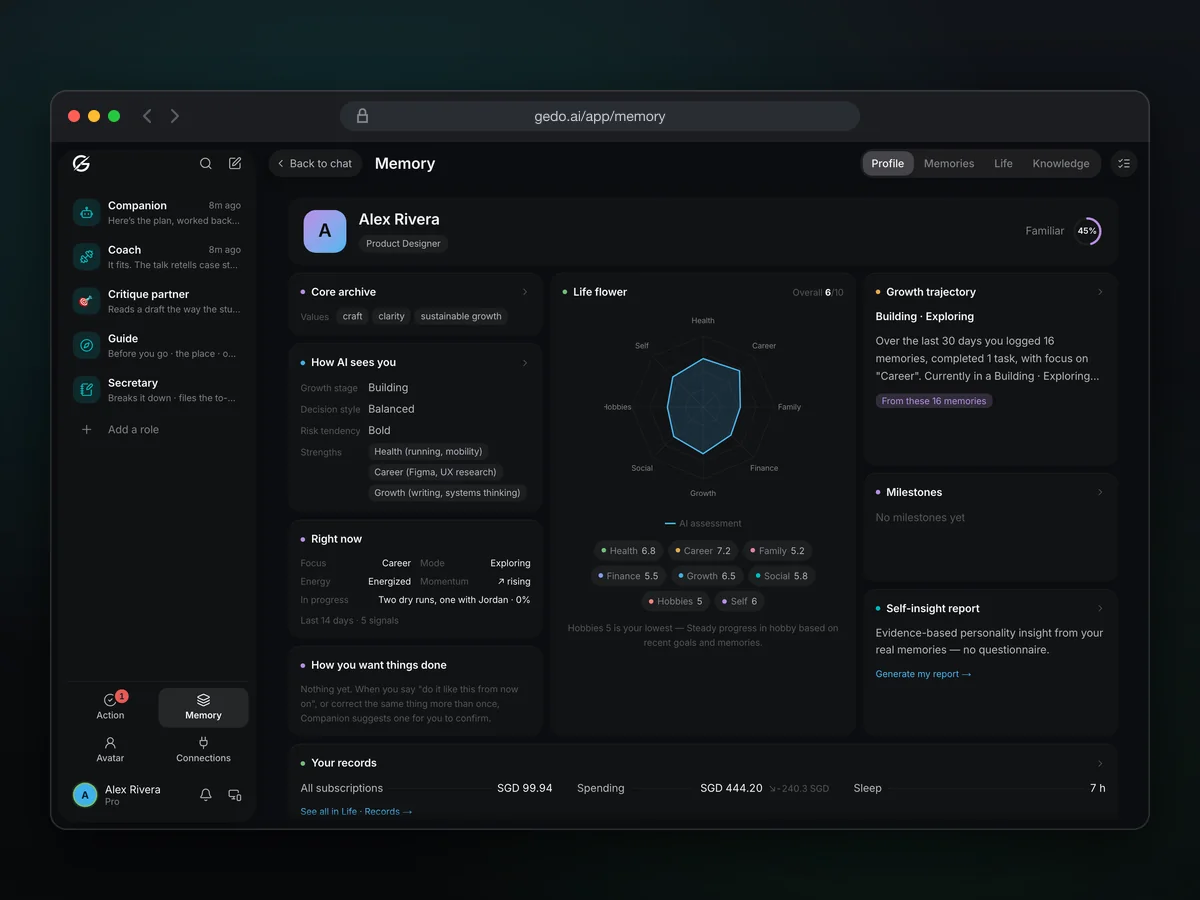
Works in every modern browser with nothing to install. It is the most complete surface, and new capabilities usually land here first.
Gedo World and Parallel You are available only on the web.
The web app has no push notifications; notifications show up only under the bell on the page. To get reminders on time, use your phone, Apple Watch or the Mac desktop app.
iPhone, iPad and Android
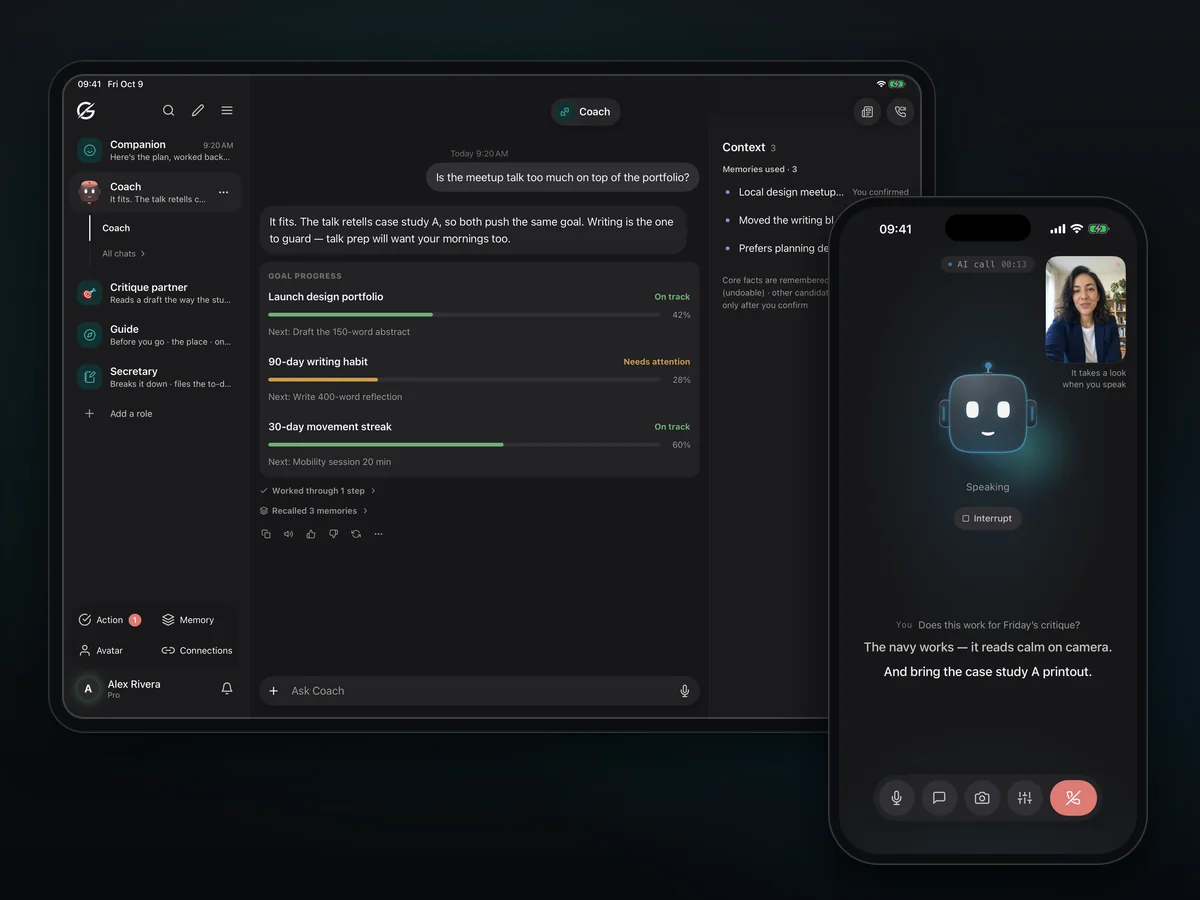
The iOS app is on the App Store and runs on both iPhone and iPad; on iPad it supports split screen, a collapsible sidebar and external keyboards. The Android app is on Google Play.
On your phone you can use Chat, Tasks, Memory, Avatar and Connections too, make calls, and accept or send back work that comes back to you.
iPhone also has three lock screen widgets. These five home screen widgets work on both iPhone and Android:
- Today: your to-dos for today; tap a circle to check one off
- Companion: what your companion noticed today; talk or type to pick it up
- Quick log: the things you log most, one tap away
- Goals: where your active goals stand; tap one to open it
- Eight dimensions: where the eight areas of your life stand, and which way they are moving
Mac desktop app
The desktop app is the full interface and updates together with the web app. It sends system notifications, shows a badge on the Dock, and closing the window only hides it.
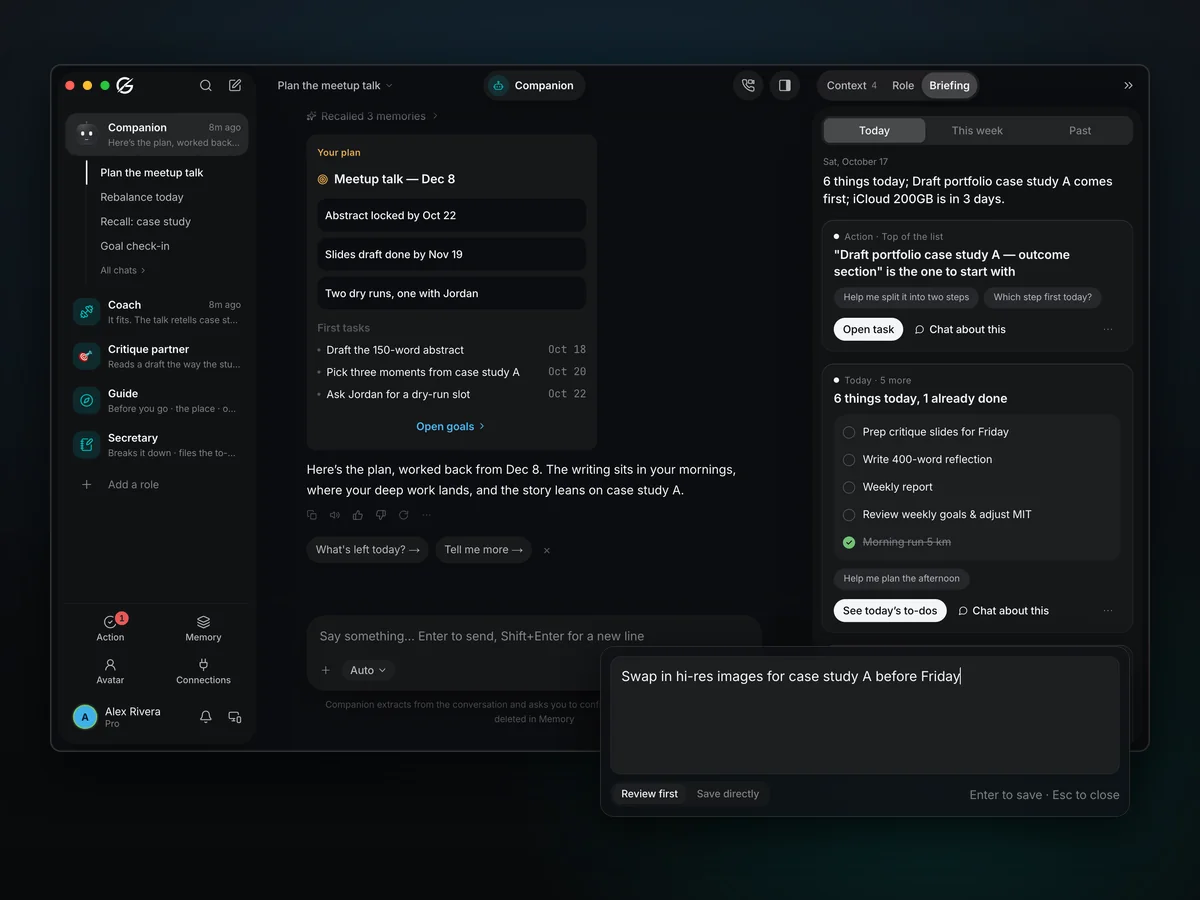
It adds a global quick note window: press ⌥⌘G in any app to capture a line, which goes to To review as a memory candidate by default, or you can choose Save directly. The shortcut can be changed to another combination or turned off from the Gedo menu in the menu bar.
The build is for Apple Silicon (M-series) and needs macOS 13 or later; get it from the download page. When a new version is out, it asks you before installing.
Apple Watch
The Apple Watch app comes with the iOS app and needs watchOS 10 or later. Once paired, the watch connects to Gedo directly, shows cached content when it is offline and delivers reminders on time on the watch itself.
On the watch you can see today’s to-dos and check them off or postpone them, talk to Companion and swipe left or right to switch roles, and make calls. There are three watch face complications, and notifications let you complete, snooze for 15 minutes or note a line.
- Open Gedo on your Apple Watch; it shows a 6-character pairing code
- Open Gedo’s settings on your iPhone and enter the code
System requirements
| Device | Requirement | Where to get it |
|---|---|---|
| Web | A modern browser | Open gedo.ai |
| iPhone and iPad | iOS 15.1 or later | App Store |
| Android | Android 7.0 or later | Google Play |
| Mac | macOS 13 or later, Apple Silicon (M-series) | The download page |
| Apple Watch | watchOS 10 or later, used with an iPhone | Included in the iOS app |
| Home screen widgets | iOS 17 or later on iPhone; on Android, the same as the app | Installed with the app |
Sync
Memories, goals, to-dos, and chats live on your account, not on a device. Sign in on the new machine and it is all there — no export and re-import step.
Every browser, app, desktop app and watch you are signed in on is listed under Signed-in devices in Settings › Account and security, and you can remove any you don’t recognize one by one.