


Records, one notebook per kind of matter
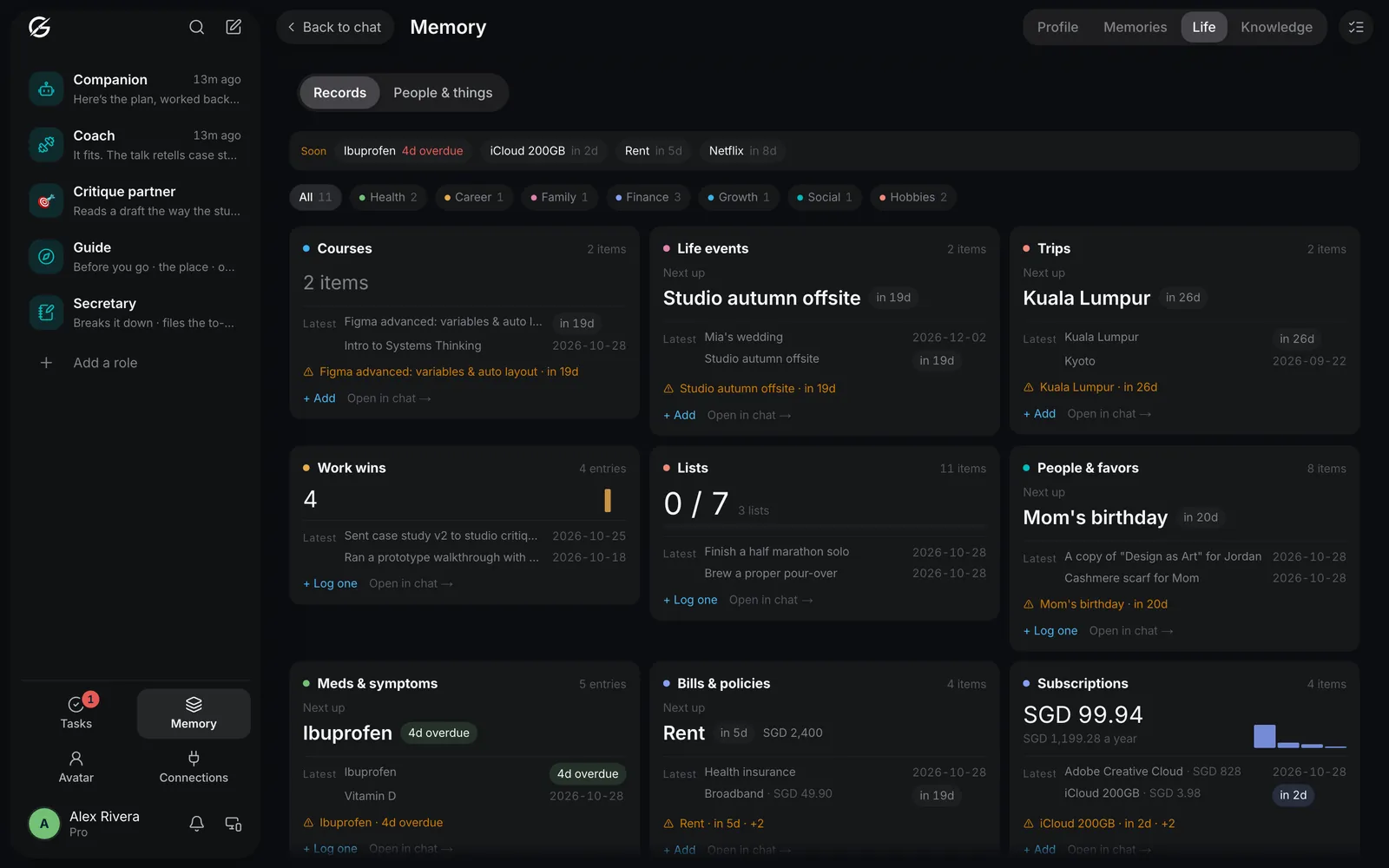
Memory › Life › Records is not a wall of cards but a set of notebooks: records of the same kind sit together, so what you spent, how many visits it took and what is still open are all visible at once.
Built-in notebooks cover Subscriptions, Bills & policies, Health metrics, Meds & symptoms, People & favors, Lists, Work wins, Courses, Trips, Life events, Spending, and Homes & permits. You can also Start from a template: built-in notebooks work right away, a preset becomes your own form with one tap and you can change its fields, or you can start from a blank form.
How many records and custom forms you can keep depends on your plan.
How to record
Just say it in chat, like “log weight 68.4” or “Netflix, $15 a month, renews on the 2nd”. Gedo shows a life record candidate, and it is saved only after you confirm; spending, health numbers and trips mentioned in chat produce candidates automatically too.
A number you record is also written as a memory, the two are linked, and the record is the one that counts.
Spreadsheets, PDFs and screenshots you already have can be imported in bulk: in a notebook’s Import, choose Paste text, Upload file or Paste screenshot, then Parse → preview. The preview is a draft and only checked rows are saved; tables with headers are matched by column name with no model call, and numbers read from a screenshot are worth checking.
Ask this notebook
In a notebook’s Analyze tab, Ask this notebook takes questions like “where did I spend more than last month?” or “what is due soonest?”. Every number comes from that page’s summary and the model only interprets it; edit data in the table, and each question costs the same as one chat turn.
Scenarios: roles follow playbooks for multi-step matters
Trips, medical visits, relationships and gifts, home and documents, life events, relocation, and training and exam prep have many steps and are easy to get wrong, so each has a scenario playbook handled by its role: guide, care navigator, butler, house manager, event planner, relocation consultant and coach. A playbook sets the usual order for that kind of matter and the steps people tend to miss; for a medical visit, for example, it checks your own past records before looking anything up.
When you bring up such a matter in chat, Gedo follows the matching playbook on its own, or you can type @ in the composer to pick the role and start a new chat with it; see roles. Matters outside these still get handled in a general order, and it tells you which parts it could not cover.
What gets recorded along the way goes into the matching notebook, such as a trip into Trips or a gift into People & favors, and nothing is saved until you confirm.
Everything about this matter
As a matter unfolds, it collects where you went, who you saw, what it cost and which receipts came out of it. Open This matter on a record to see the reminders ahead of time and the follow-up, the people involved, the chat it was handled in, and how many steps are left.
The next time something similar comes up, that is the starting point.
Reminders bring you back
A reminder is not a checkbox. Open it in Tasks and choose Pick this up, and Gedo returns you to the right role with everything about the matter, picking up where you left off.
After a trip or an event wraps up, it reminds you to fill in what’s left, such as receipts and thank-yous.