


How the three plans differ
Free is not a trial: chat, memory, goals, to-dos, the knowledge base, and your avatar all work in full. The plans differ in quantity and in a few advanced features, listed item by item below.
Pro and Ultra add knowledge base capacity and move your memory imports ahead in the queue. The table shows the differences, not exact amounts.
| Feature | Free | Pro | Ultra |
|---|---|---|---|
| Memory | A cap on how many are kept long term | No cap (fair use) | No cap (fair use) |
| Goals at once | Capped | Unlimited | Unlimited |
| Smart credits | Light use | Ample for daily use | Abundant |
| Custom roles and routines | Starter | Ample | More |
| Standing permissions | Not included; Gedo asks every time | Included | More of them |
| Avatar | One published avatar; fewer avatar credits | More avatar credits; custom characters; send an email as your avatar | Most avatar credits; custom characters; send an email as your avatar |
| Avatar phone | Shared number plus an extension | Shared number plus an extension; allowed numbers | A dedicated US number you pick |
| Twin model | Not included | Not included | In limited testing |
| Gedo World | Free; lower resource-point caps | Free; higher resource-point caps | Free; highest resource-point caps |
What smart credits cover
Smart credits are the main quota. Anything that uses AI day to day draws from them, including the following.
- Chat, planning, and memory organizing, plus reading images you send into a chat.
- Your calls with Companion, counted by the minute.
- Work you delegate and work that runs in the background.
- Custom characters for your avatar: available from Pro, with a monthly limit on how many you can generate.
Other meters, counted separately
Avatar credits are a separate quota, spent only when your avatar successfully replies to a visitor; visitor calls and phone calls draw from them by the minute, and screened calls where no one speaks cost nothing. If visitors use them up, they see that your avatar can't reply right now, and your own use is unaffected.
Resource points are used only in Gedo World. You earn them from what you chat about, record, and finish in Gedo; they can't be bought and don't convert to or from smart credits. Plans differ only in resource-point caps; see how resource points work.
Chats and delegated work that run on your own model key don't use smart credits, and that provider bills you directly; calls and custom characters still count. See using your own API key.
Where to see usage, resets, and running out
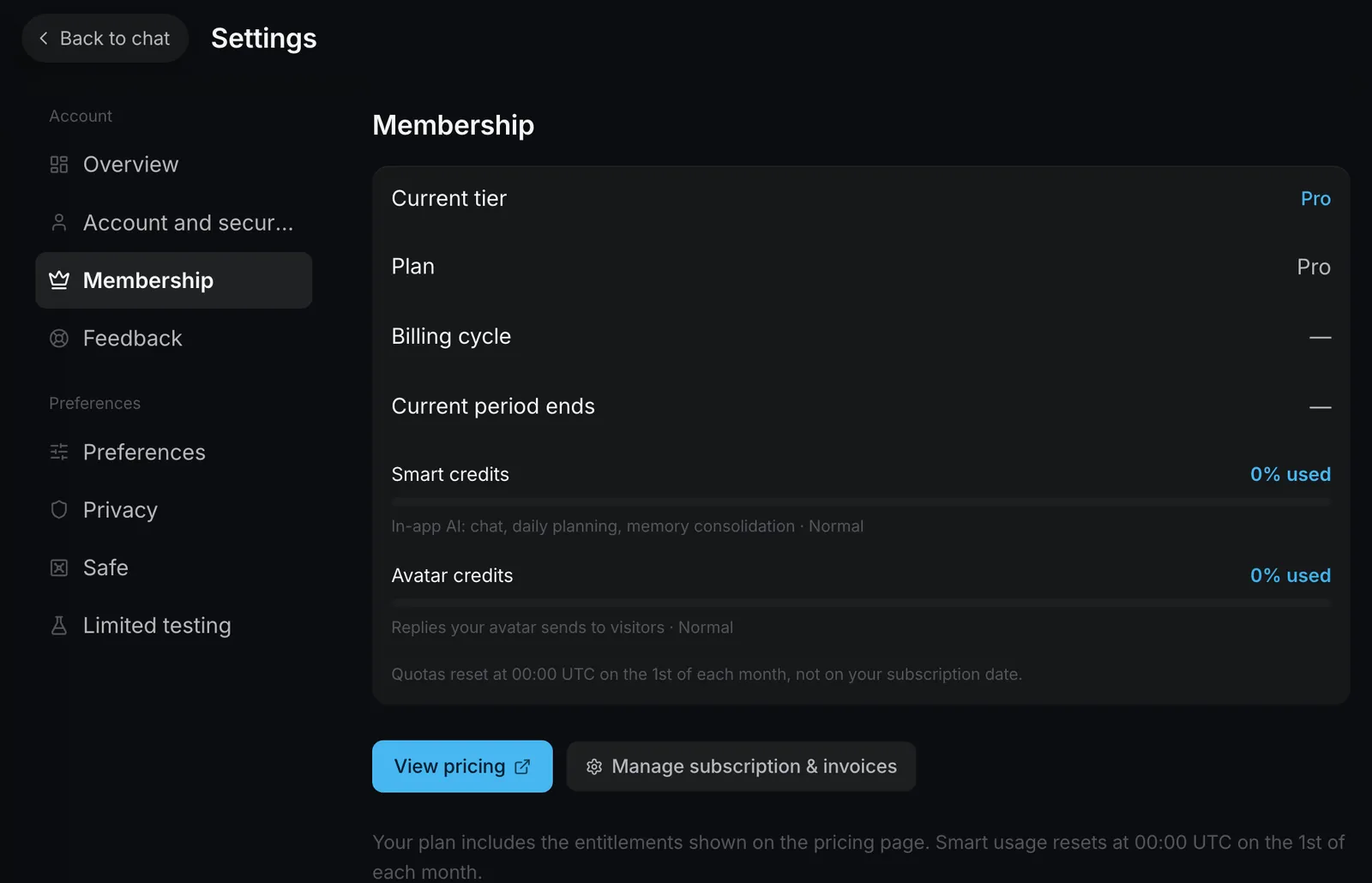
Smart credits and avatar credits both appear under Settings › Membership, in the same place on the web and in the App, as the percentage used this month. Exact amounts are not published and are adjusted as costs change; what this page shows is what applies.
Quotas reset each calendar month in UTC: at 00:00 UTC on the 1st, not on your subscription date.
Running out doesn't stop you. Chat, hand-offs, and questions about your records switch to Quick and don't count against your allowance. Those replies are marked Unmetered and may wait a moment when things are busy. Actions that can't switch to Quick, such as images and calls, wait until the allowance refills on the 1st, or until you use a reset card. You lose no data, and the memories, goals, to-dos, and knowledge base you already have stay readable and editable.
Reset cards
A reset card refills this month's allowance to your plan's cap in one go: smart credits and the monthly counts such as images all start again from 0. It works the same on Free, Pro, and Ultra. Cards don't expire, so you can keep them, and you can use more than one in a month.
Cards aren't for sale. They come from two places: adopted feedback (if you're subscribed, the reward becomes reset cards, one per month) and cards we issue. Earlier rewards that never started because you were subscribed also become cards, and we email you when that happens.
Find them in Settings › Membership › Card wallet and tap Use one. You can't use one before you've used any of this month's allowance, so a card is never wasted. After you use a card, replies switch back to the normal mode right away.
Switching, canceling, and refunds
Moving from Free to Pro or Ultra takes effect immediately; what you already used this month still counts, so you get the new ceiling minus what you have used. To switch between Pro and Ultra, cancel your current subscription and subscribe to the new plan after the current period ends; prices are not changed or prorated mid-subscription.
After you cancel, you keep access through the current period, then drop back to Free; if you leave Ultra, your avatar's dedicated number is held for 30 days and comes back if you return to Ultra. Cancel a web subscription under Settings › Membership › Manage subscription & invoices, and an App Store or Google Play subscription in that store's subscription settings.
Web purchases (Stripe card): you can request a full refund within 14 days of your first purchase; after 14 days, annual plans are refunded pro rata by remaining full months and monthly plans are not refunded. Email [email protected] to request a refund; subscriptions bought through the App Store or Google Play are refunded by Apple or Google under their own policies.
Web, iOS, and Android carry the same plans at the same price, and one subscription covers every device; manage or cancel it where you bought it. Prices are on the pricing page.