


What a routine is
A routine is a delegation with a schedule that Gedo carries out on its own: a plan for next week every Sunday evening, a weekly report every Friday. It runs when the time comes; you don’t need to be there.
Results land in the routine’s own chat, with each run added to the same chat, and notifications follow Notify me in the role panel.
Turning on a role’s routines
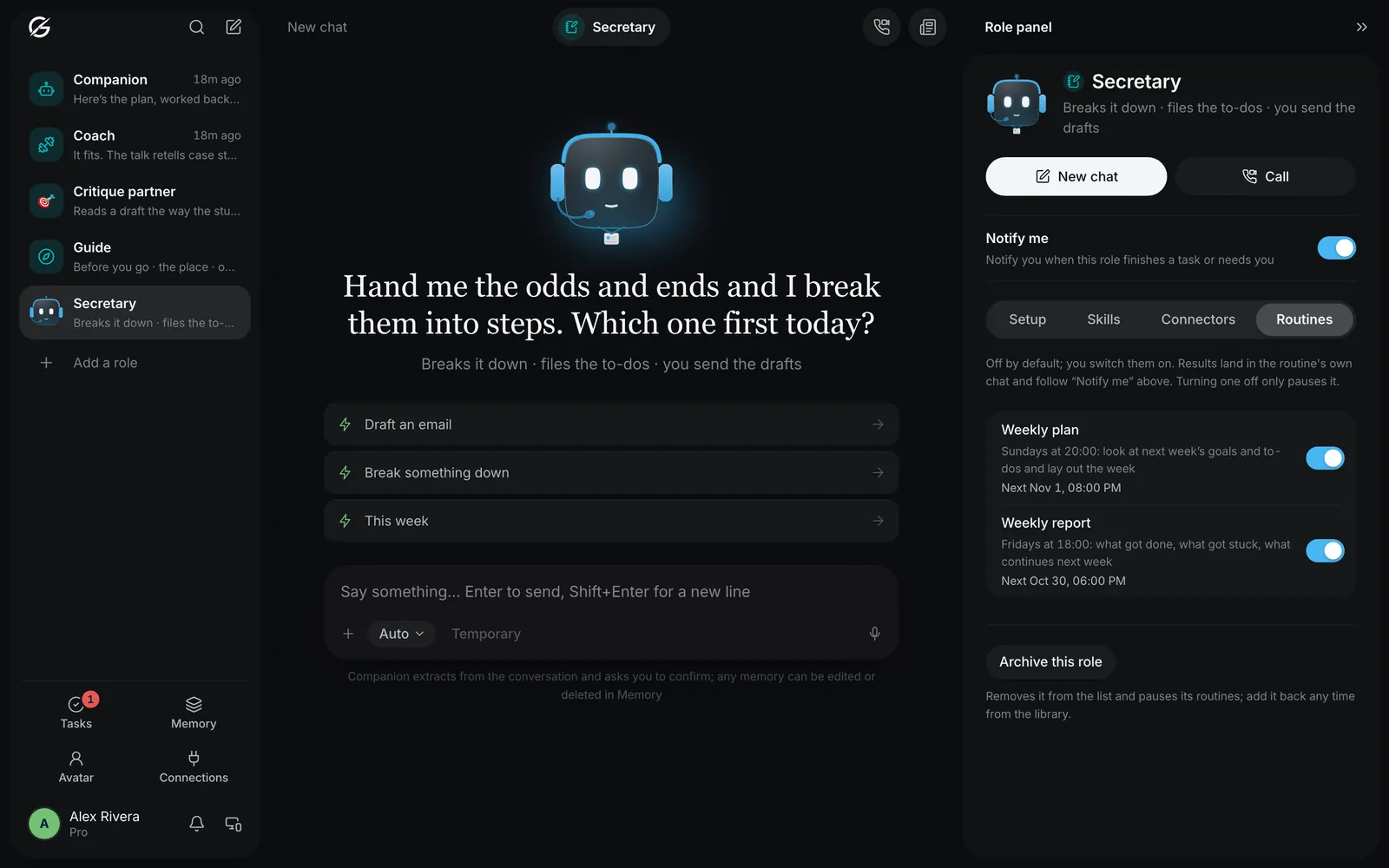
Official roles come with a few preset routines that are off by default; you switch them on. In a chat, tap the role’s name to open the role panel and go to Routines. Turning one off only pauses it, and times follow your account’s time zone.
| Role | Routine | When |
|---|---|---|
| Secretary | Weekly plan: look at next week’s goals and to-dos and lay out the week | Sundays at 20:00 |
| Secretary | Weekly report: what got done, what got stuck, what continues next week | Fridays at 18:00 |
| Coach | Weekly goal check: did last week’s moves happen, what to do this week | Mondays at 08:30 |
| Butler | People to reach out to: who to contact this month and a reason, from anniversaries and favors | The 1st at 09:00 |
| House manager | Expiry scan: documents, policies, bills and subscriptions due within 30 days | The 1st at 09:00 |
Create them in chat, manage them in Tasks
Just say it, for example “every Friday afternoon, go through this week’s spending” or “on the 1st of each month, list the subscriptions that renew this month”.
Every routine you create is under At work › Routines in Tasks. Open one to see the next run and its runs so far, or use Pause this and Resume this; Manage in Tasks in the role panel leads here too.
How many routines can be on at once depends on your plan, and watches count toward the same limit. When you reach it, Gedo tells you directly instead of failing silently.
Watching a public page
Say “watch this page and tell me when a new design job is posted”, and Gedo reads that page on a regular rhythm. If you don’t say how often, it checks once a day at 9 am in your account’s time zone; a page is read once an hour at most.
You hear about it only when there is new content of the kind you asked about. Checks where nothing changed, the change wasn’t relevant or the site didn’t allow reading leave one line in the watch’s runs; if the page fails to open 3 times in a row, Gedo tells you once.
Checking itself uses no smart credits; when new content needs judging against what you asked for, the actual usage is deducted. A watch only reads the page and never signs in or fills in forms; for how it reads and what it keeps, see How Gedo reads web pages.
When nobody is around
Routines and watches run while you are away. Reading goes ahead as usual; for writes to outside services, only the kinds you have allowed in advance go through: standing permissions, services set to Writes run directly, and your own agent.
Any other write to an outside service stops and waits under Needs you in Tasks for your approval. See It asks before it acts for the rules.